Introduction
Choosing the right GPU for your AI or machine learning workload can feel overwhelming.
Do you really need 96 GB of VRAM, or will a 12 GB card do the job?
Should you pick the newer RTX 5090, or is the 3060 enough for prototyping?
On SimplePod, you can choose from a range of GPUs — from budget-friendly cards for students to high-end Blackwell-class hardware for enterprise research.
This guide breaks down each GPU’s specs and explains what they actually mean for your work — in plain English.
Why Specs Matter (and What They Mean)
Before diving into the comparison, let’s decode a few key terms you’ll see in every GPU spec sheet:
- VRAM (Video Memory):
The memory your GPU uses to store model weights, activations, and data.
More VRAM = the ability to train larger models or generate higher-resolution images. - Bandwidth:
How fast data moves between the GPU and its memory.
Higher bandwidth means faster model training and inference — like a wider highway for data. - CUDA Cores:
The tiny processing units inside the GPU that handle parallel computation.
More cores generally mean more raw compute power. - Tensor Cores:
Specialized hardware for deep learning operations — matrix multiplications, FP16 math, and AI acceleration.
If you’re running deep learning, inference, or rendering, these factors determine how quickly and smoothly your workloads run.
SimplePod GPU Lineup Overview
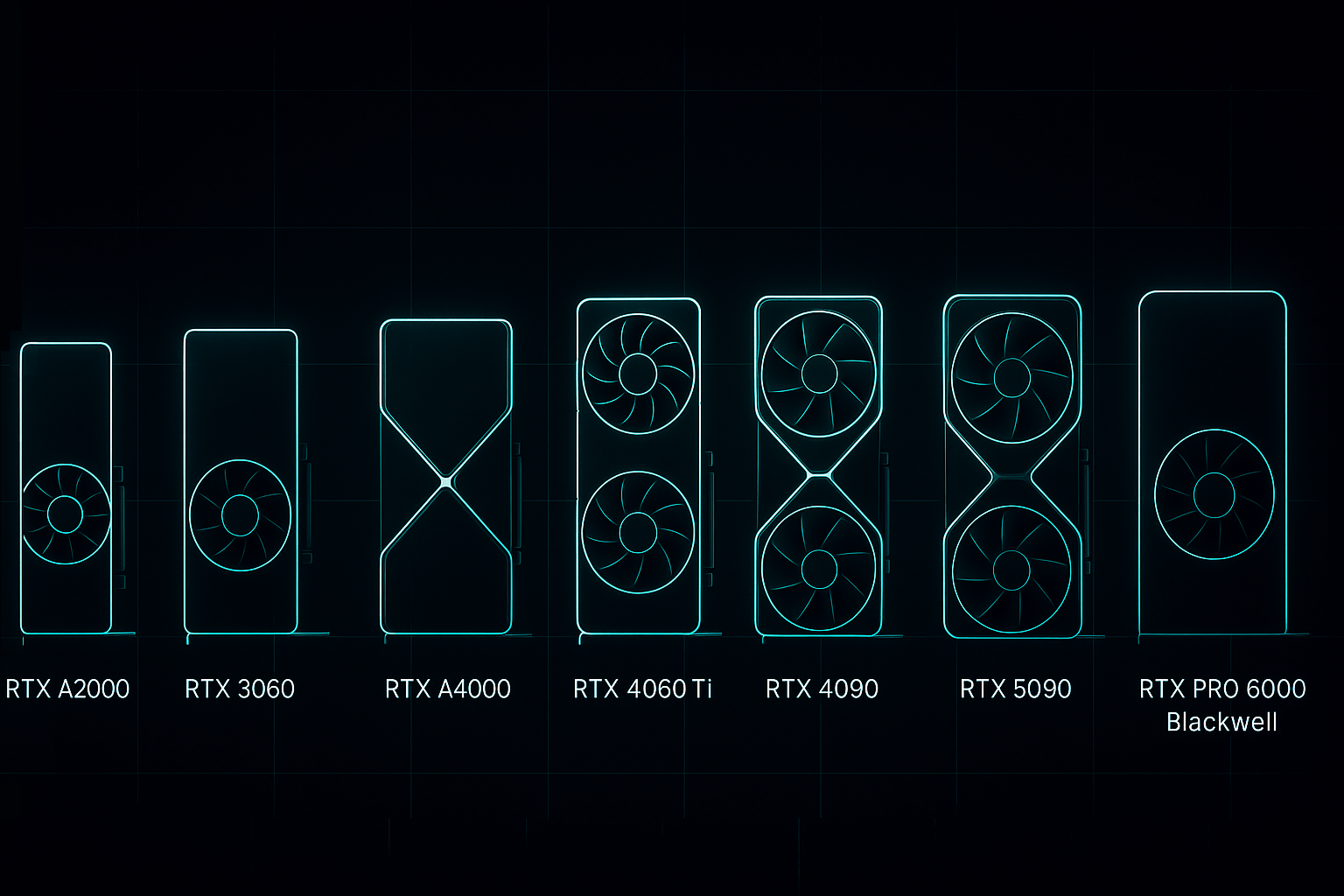
Here’s a side-by-side look at every GPU currently available on SimplePod:
| GPU | VRAM | Bandwidth | Key Strength | Best For | Starting Price |
|---|---|---|---|---|---|
| RTX A2000 | 6 GB | ~288 GB/s | Compact, energy-efficient | Light inference, education, small models | from $0.05/h |
| RTX 3060 | 12 GB | ~360 GB/s | Great entry-level card | Students, hobby projects, prototyping | from $0.05/h |
| RTX A4000 | 16 GB | ~448 GB/s | Strong professional mid-tier | Multi-notebook Jupyter use, mid-size training | from $0.09/h |
| RTX 4060Ti | 16 GB | ~504 GB/s | Latest-gen efficiency | Diffusion models, rendering, TTS tasks | from $0.09/h |
| RTX 4090 | 24 GB | ~1008 GB/s | Extreme single-GPU power | Deep learning, large image generation, research | from $0.30/h |
| RTX 5090 | 32 GB | ~1280 GB/s (est.) | Next-gen speed and VRAM | Large-scale models, multi-stream video, AI R&D | from $0.45/h |
| RTX PRO 6000 Blackwell | 96 GB | ~1800 GB/s | Enterprise-grade memory and compute | LLM training, massive diffusion, commercial AI | from $0.99/h |
💡 Note: “Other models available on request” — contact SimplePod for enterprise or custom configurations.
How to Read These Numbers
Specs only tell part of the story — what matters is how they match your workload.
1. VRAM – The Real Limiter
If your model doesn’t fit in memory, it won’t run.
- 6–12 GB (A2000 / 3060): Great for smaller models like DistilBERT or SD 1.5.
- 16–24 GB (A4000 / 4090): Ideal for diffusion models, TTS, and LLaMA 7B fine-tuning.
- 32–96 GB (5090 / PRO 6000): For massive models, video generation, or research-scale LLMs.
💬 Rule of thumb: If you often get “out of memory” errors, you probably need to move up one tier.
2. Bandwidth – Speed Between Brain and Memory
Bandwidth determines how quickly your GPU can access stored data.
For AI workloads, this affects training speed and inference latency.
Cards like the 4090 and 5090 nearly double the throughput of mid-range GPUs, making them ideal for real-time generation or large-batch processing.
3. Power and Performance Balance
Not every task needs maximum compute.
- A2000 / 3060: Energy-efficient, ideal for intermittent use or teaching.
- A4000 / 4060Ti: Strong everyday performers.
- 4090 / 5090: For heavy compute — high VRAM and tensor performance.
- PRO 6000 Blackwell: For large-scale enterprise-grade AI workloads.
💡 Tip: Always align GPU power with how often you train — overpaying for unused compute adds up fast.
Which GPU Is Right for You?
| User Type | Recommended GPU | Why |
|---|---|---|
| Students & Learners | RTX 3060 / A2000 | Affordable, easy to start with Jupyter or small LLMs |
| Indie Creators & Hobbyists | RTX A4000 / 4060Ti | Great for diffusion, rendering, and small fine-tunes |
| AI Startups & Developers | RTX 4090 | Reliable for production-scale training and inference |
| Research Labs / Teams | RTX 5090 / PRO 6000 Blackwell | For large datasets, LLMs, or continuous training workloads |
Key Takeaways
- VRAM determines what you can fit.
- Bandwidth determines how fast it moves.
- CUDA / Tensor cores determine how efficiently it computes.
If you’re learning or experimenting, the 3060 or A4000 is all you need.
If you’re scaling into heavier training or real-time generation, the 4090 or 5090 offers exponential gains.
And when you need enterprise-level performance — the PRO 6000 Blackwell stands in a league of its own.
Conclusion
Every GPU tier on SimplePod exists for a reason — not just to offer more speed, but to match different stages of your AI journey.
From students learning machine learning basics to research teams training full-scale LLMs, the right GPU helps you move faster, spend smarter, and stay focused on building.
Whether you need 6 GB or 96 GB of VRAM, SimplePod’s flexible pricing and ready-to-launch templates make it easy to choose the perfect setup for your next project.